
Check Authyo OTP for Contact Form 7
Live demo of how Authyo OTP works with Contact Form 7. Fill out the form to see how it verifies your leads and prevents fake submissions.
Features
- OTP verification field for Contact Form 7
- Secure one-time password handling
- Customizable messages for sent, verified, and failed OTP states
- Seamless integration with the Authyo OTP service
- Email, SMS, WhatsApp, and Voice Call OTP support
- Per-form redirect option after successful submission
- Improved spam protection and form security
Authyo OTP for Contact Form 7
Add powerful One-Time Password (OTP) verification to your Contact Form 7 forms. Prevent spam, eliminate fake submissions, and ensure only verified users can submit entries.
Key Features
OTP Verification Field
Seamlessly add OTP verification directly inside your Contact Form 7 forms.
Email, SMS, WhatsApp & Voice
Deliver OTP securely via Email, SMS, WhatsApp, or Voice Call.
Secure OTP Handling
Robust verification ensures OTP is validated before submission.
Customizable Messages
Customize messages for sent, verified, and failed OTP states.
Per-Form Redirect
Redirect users to a thank-you page or any custom URL.
Improved Spam Protection
Reduce spam, block bots, and improve form security.
Enable OTP Channels Setting
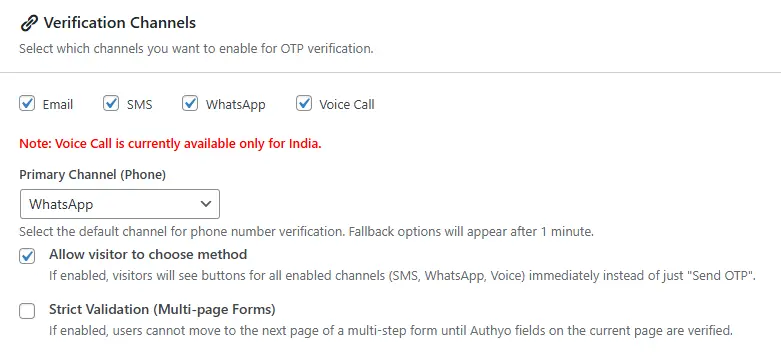
Enable OTP Channels Setting
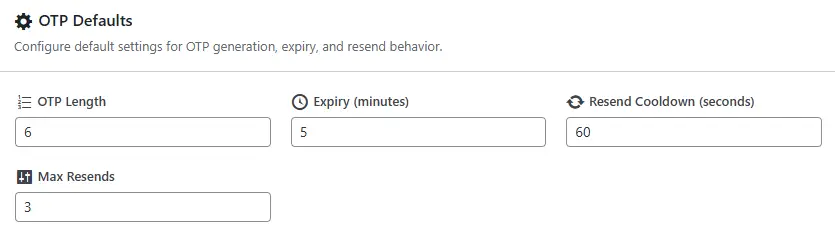
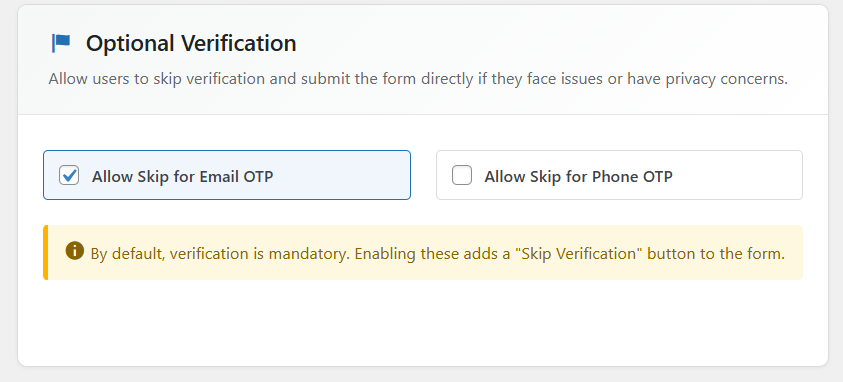
✨ New Feature: Optional OTP Verification Settings 🔐
Easily enable or disable OTP verification for Email and Phone directly from the dashboard with simple toggle controls.
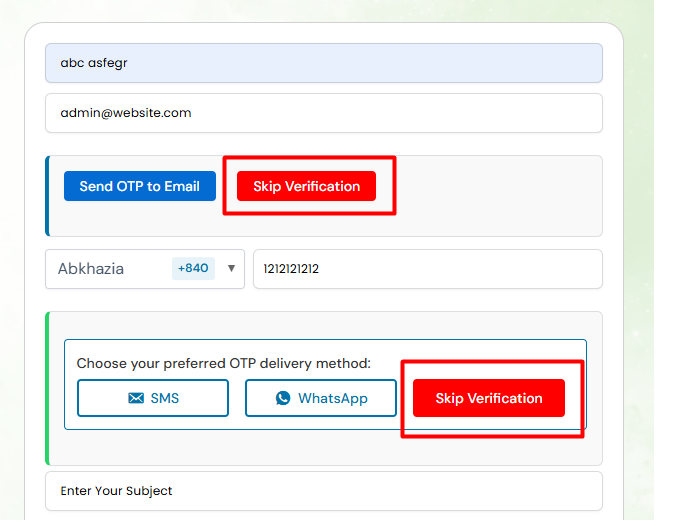
Give website users flexibility with a ‘Skip Verification’ option on the frontend when OTP verification is not required.
Video Tutorial – How to Use
External Services
Service Used: Authyo
Purpose: To send and verify OTPs for Contact Form 7 submissions.
Data Sent: User email address or phone number and OTP-related data (for verification only).
When: Data is sent when OTP is requested and when it is verified.
Provider: Authyo Inc.
Legal: Terms of Service | Privacy Policy
Dependencies
This plugin requires Contact Form 7 to be installed and activated.
Available for free on WordPress.org .
This plugin is an independent add-on and is not affiliated with Contact Form 7 authors.